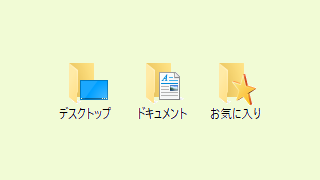
特殊フォルダのパスを取得します。
ユーザー毎にパスが変化する場合に使用すると便利です。
Sub SpecialPath_Test()

    Dim fso As Scripting.FileSystemObject
    Dim wsh As IWshRuntimeLibrary.WshShell

    ' オブジェクトを作成
    Set fso = New Scripting.FileSystemObject
    Set wsh = New IWshRuntimeLibrary.WshShell


    ' VBA を実行しているエクセルファイルのパス(このファイルのパス)
    ' 保存していない場合は空になります。
    MsgBox ThisWorkbook.Path

    ' GetSpecialFolder は以下を参照
    ' https://learn.microsoft.com/ja-jp/office/vba/language/reference/user-interface-help/getspecialfolder-method

    ' Windows フォルダのパス (C:\Windows)
    MsgBox fso.GetSpecialFolder(WindowsFolder)

    ' システムフォルダのパス (C:\Windows\System32)
    MsgBox fso.GetSpecialFolder(SystemFolder)

    ' 一時ファイルの格納に使用される Temp フォルダ。 このパスは TMP 環境変数で指定。
    ' (C:\Users\ユーザー名\AppData\Local\Temp)
    MsgBox fso.GetSpecialFolder(TemporaryFolder)

    ' デスクトップ(C:\Users\ユーザー名\Desktop)
    MsgBox wsh.SpecialFolders("Desktop")

    'お気に入り(C:\Users\ユーザー名\Favorites)
    MsgBox wsh.SpecialFolders("Favorites")

    ' ドキュメント (C:\Users\ユーザー名\Documents)
    MsgBox wsh.SpecialFolders("MyDocuments")

    ' ネットワーク (C:\Users\ユーザー名\AppData\Roaming\Microsoft\Windows\Network Shortcuts)
    MsgBox wsh.SpecialFolders("NetHood")

    ' 最近使ったファイル (C:\Users\ユーザー名%\AppData\Roaming\Microsoft\Windows\Recent)
    MsgBox wsh.SpecialFolders("Recent")

    ' アプリケーションデータ (C:\Users\ユーザー名\AppData\Roaming)
    MsgBox wsh.SpecialFolders("AppData")

    ' スタートアップ (C:\Users\ユーザー名\AppData\Roaming\Microsoft\Windows\Start Menu\Programs\Startup)
    MsgBox wsh.SpecialFolders("Startup")

    ' OSの環境変数
    ' Common Files (C:\Program Files\Common Files)
    MsgBox Environ("CommonProgramFiles")

    ' Common Files (C:\Program Files (x86)\Common Files)
    MsgBox Environ("CommonProgramFiles(x86)")

    ' OneDrive の組織アカウントフォルダ (C:\Users\ユーザー名\OneDrive)
    MsgBox Environ("OneDrive")

    ' OneDrive の個人アカウントフォルダ (C:\Users\ユーザー名\OneDrive)
    MsgBox Environ("OneDriveConsumer")

    ' OneDrive のフォルダ (C:\Users\ユーザー名\OneDrive)
    MsgBox Environ("OneDriveCommercial")

    ' Program Files のフォルダ (C:\Program Files)
    MsgBox Environ("ProgramFiles")

    ' Program Files のフォルダ (C:\Program Files (x86))
    MsgBox Environ("ProgramFiles(x86)")

End Sub
【補足】
Scripting.FileSystemObject を使用しています。
初期設定では、エラーが発生するので、参照設定「Microsoft Scripting Runtime」の設定が必要です。
IWshRuntimeLibrary.WshShell を使用しています。
初期設定では、エラーが発生するので、参照設定「Windows Script Host Object Model」の設定が必要です。
参照設定を使用しない場合は、以下の指定も可能ですが、SpecialFolders の定数が使用できないので、WindowsFolder = 0, SystemFolder = 1, TemporaryFolder = 2 の置き換えが必要です。
    Dim fso As Object
    Dim wsh As Object

    Set fso = CreateObject("Scripting.FileSystemObject")
    Set wsh = CreateObject("WScript.Shell")
GetSpecialFolder は以下を参照
https://learn.microsoft.com/ja-jp/office/vba/language/reference/user-interface-help/getspecialfolder-method
【修正】
2024/08/25 参照設定を使用するように変更。環境変数で取得できるパスを追加。
コメント