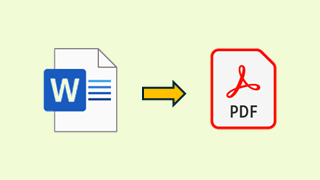
Wordファイルを開いてPDFファイルに変換して保存します。
' Wordファイルを開いてPDFで保存
Sub WordToPDF(filename As String)
	Dim WordApp As Word.Application
	Dim WordDoc As Word.Document
	Dim BasePathName As String

	' エラーが発生したらエラー処理へジャンプ
	On Error GoTo ErrorProc

	' Wordオブジェクトの参照を作成
	Set WordApp = CreateObject("Word.Application")

	' Wordを表示する
	WordApp.Visible = True

	' テンプレートを開く際に時間がかかるとメッセージが表示されて
	' 止まってしまうので、一時的に非表示にする
	Application.DisplayAlerts = False

	' Word のドキュメントを開く
	Set WordDoc = WordApp.Documents.Open(filename)

	Application.DisplayAlerts = True

	' ファイルパス+拡張子の無いファイル名を取得
	BasePathName = GetFileBasePathName(filename)

	' PDFファイルで保存
	WordDoc.ExportAsFixedFormat _
		OutputFileName:=BasePathName & ".pdf", _
		ExportFormat:=wdExportFormatPDF, _
		OpenAfterExport:=False, _
		OptimizeFor:=wdExportOptimizeForPrint, _
		Range:=wdExportAllDocument, _
		Item:=wdExportDocumentContent, _
		IncludeDocProps:=True, _
		KeepIRM:=True, _
		CreateBookmarks:=wdExportCreateHeadingBookmarks, _
		DocStructureTags:=True, _
		BitmapMissingFonts:=True, _
		UseISO19005_1:=False

	' Word を保存せずに閉じる
	WordDoc.Close SaveChanges:=False

	' 終了
	WordApp.Quit
	' オブジェクトを解放
	Set WordDoc = Nothing
	Set WordApp = Nothing

	' エラー処理前に終了
	Exit Sub

' エラー処理
ErrorProc:
	MsgBox "ファイルを開けません" & filename, vbExclamation

	' オブジェクトが有効な場合、終了処理
	If (WordApp Is Nothing) = False Then
		' 終了
		WordApp.Quit
		'オブジェクトを解放
		Set WordDoc = Nothing
	End If
End Sub


' ファイルパス+拡張子の無いファイル名を取得
Function GetFileBasePathName(filename As String) As String
	Dim fso As Scripting.FileSystemObject
	Dim FolderName As String
	Dim BaseName As String

	' オブジェクトを作成
	Set fso = New Scripting.FileSystemObject

	' ファイルパスを取得
	FolderName = fso.GetParentFolderName(filename)
	' 拡張子の無いファイル名を取得
	BaseName = fso.GetBaseName(filename)
	' ファイルパス+拡張子の無いファイル名を返す
	GetFileBasePathName = FolderName & "\" & BaseName
End Function
出力フォーマットは以下を参照
https://learn.microsoft.com/ja-jp/office/vba/api/word.document.exportasfixedformat
【補足】
Word.Application を使用しています。
初期設定では、エラーが発生するので、参照設定「Microsoft Word 16.0 Object Library」の設定
が必要です。

コメント