
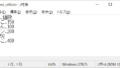
テキストファイルを作成し、データを出力します。
エクセルファイルを開き、B列、C列をテキストファイルを出力します。


以下の関数を使用していますので、リンクから関数をコピーします。
・ファイルの有無を確認する IsFileExists()
・最終行取得(一番下から) GetLastRow()
【サンプルプログラム】
Sub sample1()
	Dim wb As Workbook
	Dim ws As Worksheet
	Dim filename As String

	' サンプルファイル
	filename = "C:\ExcelVBA\最終行列取得\sample1.xlsx"

	If IsFileExists(filename) = True Then		' ファイルの有無を確認
		Set wb = Workbooks.Open(filename)	' ブックを開く
		Set ws = wb.Sheets(1)			' シートを取得

		TextOutput ws, "C:\ExcelVBA\テキストファイルを出力\test.txt"

		' ブックを閉じる
		wb.Close
	Else
		MsgBox filename & "は存在しません", vbExclamation
	End If
End Sub
【関数化】
' テキストファイル出力
Sub TextOutput(ws As Worksheet, filename As String)
	Dim last_row As Long
	Dim idx1 As Long

	' ファイルを書き込みモードで開く(無い場合は作成、有る場合は上書き)
	Open filename For Output As #1

	last_row = GetLastRow(ws)	' 最終行を取得
	For idx1 = 1 To last_row
		Print #1, ws.Cells(idx1, 2).Value & "," & ws.Cells(idx1, 3).Value
	Next

	' ファイルを閉じる
	Close #1
End Sub
コメント